

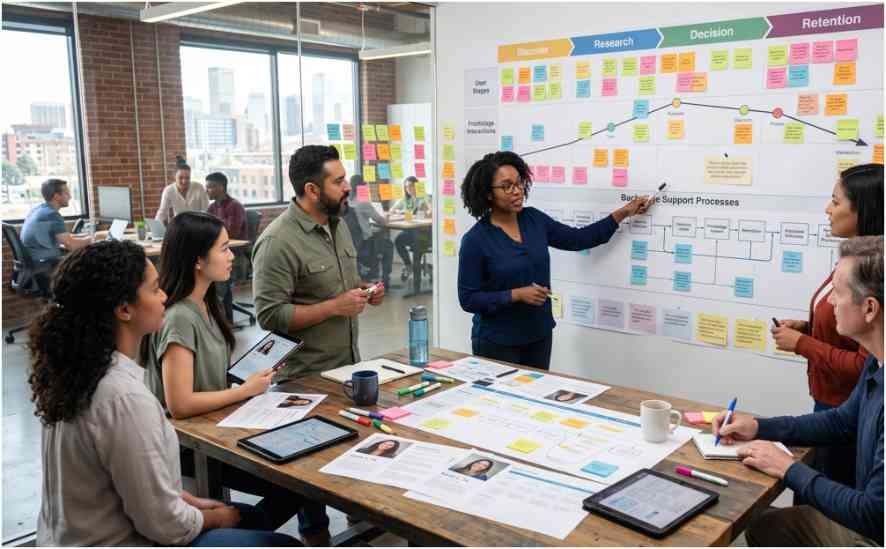


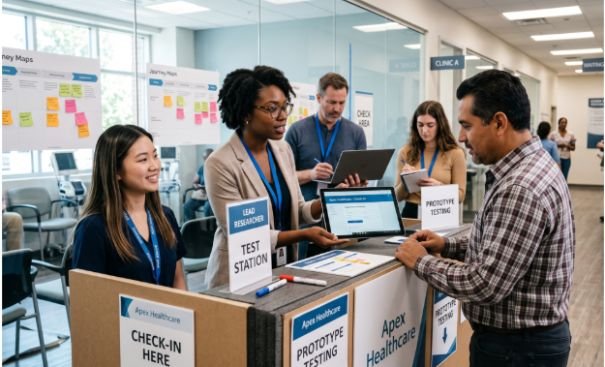
A polished app prototype can still hide a broken service. I have seen smooth interfaces fail because staff lacked information, signage confused customers, or backstage processes could not support the promised experience.
That is why I use service prototyping methods for digital and physical services to test the entire journey rather than one isolated screen. A useful prototype should reveal what customers see, what employees do, and what operational systems must happen behind the scenes.
Why Service Prototypes Must Test More Than Screens
Service prototyping simulates how people experience a service before a team commits to full implementation. It can test an app, a retail counter, an employee script, a notification system, or all four together.
The UK Government Service Manual recommends prototyping services before building them because teams can explore several options, test them with users, and discard weak ideas early. The Design Council also positions prototyping as a core human-centered design activity because it lets teams test ideas with real people.
The strongest service prototyping methods for digital and physical services expose three connected layers:
The customer-facing touchpoint shows what the user sees or handles. The human layer covers conversations, decisions, and staff behavior. The operational layer includes data, policies, handoffs, inventory, and backstage processes.
Ignoring one layer often produces misleading research results.
Digital Service Prototyping Methods

Digital prototypes test interfaces, content, workflows, and system behavior. Teams should match fidelity to the question being tested.
Paper Prototypes and Interactive Wireframes
Paper prototypes use hand-drawn screens to test information architecture, page sequence, and basic task flows. They work well when the team still expects major changes.
A researcher can act as the computer by replacing sheets when a participant taps a button. Because the prototype looks unfinished, participants often feel more comfortable suggesting changes.
Interactive wireframes or click-dummies add realistic navigation without requiring a production-ready system. Tools such as Figma, Axure, and ProtoPie can simulate menus, forms, confirmations, and error states.
I use paper when testing the structure of a journey. I move to clickable wireframes when timing, navigation, or interaction details matter.
Wizard of Oz and Concierge Prototypes
A Wizard of Oz prototype presents a system that appears automated, although a person controls its responses behind the scenes. Nielsen Norman Group describes it as a research method where a participant interacts with a mock interface controlled partly by a human.
This technique is valuable for testing AI assistants, recommendation engines, voice interfaces, and complex backend processes. It lets teams evaluate the customer experience before building expensive technology.
A concierge prototype is more transparent. Users know that a person is delivering the service manually. For example, a team testing a meal-planning platform might have a dietitian manually create recommendations before automating the process.
Wizard of Oz tests perceived automation. Concierge prototypes test whether the underlying value is worth automating.
Landing Page and Demand Tests
A landing page prototype tests demand rather than usability. The page presents a value proposition and asks visitors to join a waitlist, request information, or start an application.
The key measure is not traffic alone. Teams should track qualified actions, such as completed sign-ups or booking attempts.
A landing page cannot prove that the full service works. It can show whether the offer is clear enough to attract interest.
Physical Service Prototyping Techniques
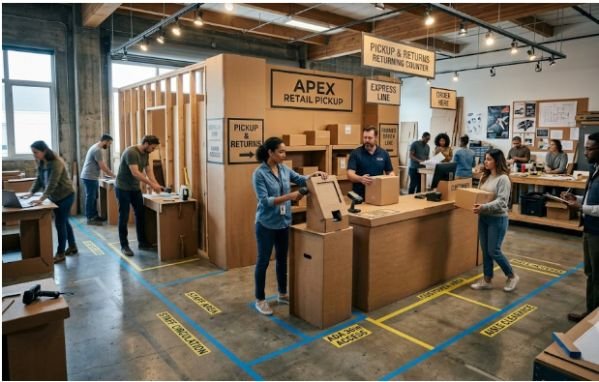
Physical prototypes test spatial layout, equipment placement, accessibility, movement, and tangible touchpoints.
Cardboard Mock-Ups and Space Modeling
Cardboard, foam board, tape, and temporary signs can represent check-in kiosks, service desks, clinic rooms, or pickup areas. These materials let teams change dimensions quickly without investing in permanent construction.
Small-scale space models provide another option. Teams can use blocks, paper figures, and 3D-printed objects to represent customers, staff, equipment, and inventory.
I have found that space models become more useful when participants narrate each movement. Simply looking at a miniature floor plan rarely exposes the same problems as acting out the journey.
Full-Scale Operational Rehearsals
A full-scale rehearsal creates a temporary version of the service in the intended environment. Staff may use folding tables, printed signs, sample products, and improvised equipment.
This method can reveal queue problems, unclear employee roles, poor sightlines, accessibility barriers, or missing supplies.
For example, a restaurant testing curbside pickup could rehearse ten simultaneous orders. The team might discover that the app works well, but employees cannot identify arriving vehicles or carry multiple orders safely.
These operational discoveries rarely appear in interface-only usability testing.
Omnichannel and Experience Prototyping Methods
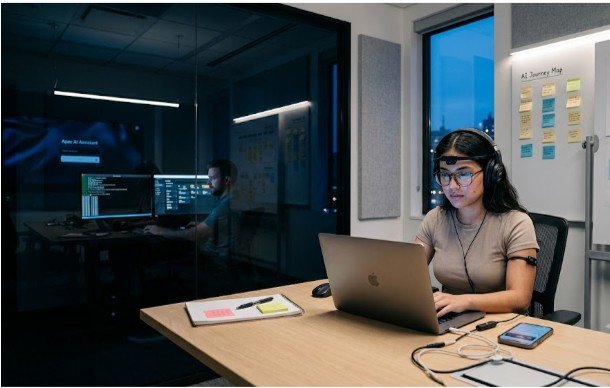
Omnichannel prototypes connect digital interactions with human and physical touchpoints. They are essential when customers move between apps, websites, phone calls, stores, vehicles, or service desks.
Bodystorming and Role-Playing
Bodystorming involves acting out a service in the environment where it will occur. Participants adopt customer, employee, or partner roles and complete realistic tasks.
A healthcare team might role-play patient arrival, digital check-in, identity verification, waiting, consultation, and follow-up messaging.
The value comes from physical experience. Participants notice awkward movements, privacy concerns, emotional stress, and conversational gaps that journey maps may miss.
Role-playing should include difficult scenarios. Test late arrivals, missing documents, system outages, language barriers, mobility limitations, and frustrated customers.
Business Origami and Desktop Walkthroughs
Business origami uses paper tokens, icons, cards, and simple objects to map people, data, money, goods, and decisions.
Teams move each item through the proposed service while narrating what happens. This makes dependencies visible.
A digital booking may trigger payment processing, inventory updates, staff scheduling, customer notifications, and partner fulfillment. Business origami helps teams see those connections without building the systems.
Desktop walkthroughs work similarly but focus more closely on sequence. They are especially effective when aligning product, operations, customer support, and frontline employees.
Storyboards, Video Prototypes, and Live Pilots
Storyboards illustrate the service over time. They help stakeholders understand context, emotions, transitions, and the relationship between channels.
Video prototypes make the journey feel more concrete. A short filmed scenario can show a customer receiving a notification, entering a location, speaking with staff, and completing the service.
Live prototypes test a refined service with a limited audience in a real setting. A hotel might trial a new concierge process for one afternoon. A clinic might test a new arrival flow during a low-volume period.
Live pilots produce realistic evidence, but they require clear safety controls, staff preparation, consent, and fallback procedures.
My Three-Layer Service Prototype Framework
My original approach combines three prototypes into one test:
First, prototype the interface. This may include an app, text message, kiosk, form, or printed instruction.
Second, prototype the interaction. Define what staff and customers say, decide, and do.
Third, prototype the operation. Simulate data movement, inventory, approvals, handoffs, and exceptions.
Consider a pharmacy pickup service. A clickable prototype can test prescription selection and payment. Role-playing can test the conversation at the counter. A desktop walkthrough can test how staff receive orders, confirm stock, prepare packages, and handle unavailable medication.
Testing all three layers gives a more honest picture than testing the app alone.
How to Choose the Right Prototyping Method
Choose a method based on the uncertainty you need to reduce.
Use paper prototypes when the flow is unclear. Use clickable wireframes when interaction details matter. Use Wizard of Oz testing when automation is expensive or uncertain. Use cardboard mock-ups when space and ergonomics affect the experience.
Use role-playing when service quality depends on human behavior. Use business origami when several teams, systems, or partners must coordinate. Use a live pilot only after lower-cost prototypes have resolved major questions.
Fidelity should increase with confidence. High-fidelity work created too early can waste time and discourage necessary changes.
How to Measure Whether a Service Prototype Works
Prototype measurement should connect customer experience with operational performance.
Useful customer measures include task completion, time on task, error frequency, customer effort, confidence, and satisfaction. Operational measures include processing time, employee workload, queue length, rework, handoff failures, and cost per interaction.
Teams should also record qualitative evidence. Listen for confusion, hesitation, workarounds, and repeated questions.
The prototype should have a clear hypothesis. For example: “Customers can complete curbside pickup without calling the store, and staff can deliver each order within four minutes.”
After implementation, connect prototype learning with how to measure the impact of service design so early findings lead to longer-term performance tracking.
Common Service Prototyping Mistakes
The most common mistake is testing a touchpoint instead of the service. A usable booking page does not guarantee that appointments are available or that staff receive accurate information.
Another mistake is excluding frontline employees. They understand exceptions, policy constraints, and operational realities that project teams often overlook.
Teams also make prototypes too polished. Participants may hesitate to criticize a realistic design, while stakeholders may become attached to it.
Finally, many teams test only the ideal journey. Real services must support mistakes, cancellations, delays, accessibility needs, system failures, and unusual requests.
Frequently Asked Questions
1. What are the best service prototyping methods for digital services?
Paper prototypes, interactive wireframes, Wizard of Oz tests, concierge prototypes, and landing page experiments work well for digital services.
2. How do you prototype a physical service experience?
Use cardboard mock-ups, space models, temporary signage, role-playing, and full-scale operational rehearsals.
3. What is the difference between service prototyping and product prototyping?
Product prototyping tests a specific object or interface, while service prototyping tests interactions, people, processes, environments, and systems.
4. How do service prototyping methods for digital and physical services work together?
They combine interface testing with staff behavior, physical movement, operational processes, and cross-channel handoffs.
Your Prototype Does Not Need to Be Pretty—It Needs to Be Honest
The best prototype is not the one that impresses the meeting room. It is the one that exposes the awkward queue, missing handoff, confusing message, or impossible staff task before customers experience it.
I recommend starting with one risky moment in the journey. Prototype the screen, the human interaction, and the backstage process around that moment. Test it cheaply, observe what breaks, and refine the whole service rather than polishing one attractive touchpoint.